

AI
为了帮助 AI 更全面地了解 Rsdoctor 的功能、配置与最佳实践,从而在日常开发和问题排查过程中提供更准确的帮助,Rsdoctor 提供了以下能力:
Agent Skills
Agent Skills 是可安装到 Agent 中的领域知识包,能够让 Agent 在特定场景下更准确、更专业地给出建议或执行操作。
我们在 rstackjs/agent-skills 仓库中为 Rstack 生态提供了许多 Skills,其中关于 Rsdoctor 的 Skills 包括:
- rsdoctor-analysis:使用 Rsdoctor 进行构建分析并提供优化建议。
在支持 Skills 的 Coding Agent 中,可以通过以下命令使用 skills 包安装指定的 Skill:
安装完成后,用自然语言输入相关提示词即可触发对应 Skill,例如:
Agent CLI
@rsdoctor/agent-cli 是面向 Agent 的命令行工具,可以读取 Rsdoctor 生成的构建分析数据,并以结构化 JSON 的形式输出,便于 Agent 进一步检索、过滤和分析。
它通常与 rsdoctor-analysis Skill 配合使用:先让 Skill 引导项目完成 Rsdoctor 构建分析,再通过 Agent CLI 查询生成的分析数据。
- 在项目中安装(可选,因为 Skill 可以自动全局安装这个依赖):
rsdoctor-agent命令主要包含:
说明:
rsdoctor-agent --help:查看命令帮助信息,包括可用子命令、参数说明和示例。rsdoctor-agent --version:查看当前@rsdoctor/agent-cli包版本。rsdoctor-agent list:列出当前可用的直接子命令(如group subcommand/group.subcommand),便于了解可直接执行的分组命令。rsdoctor-agent query <tool-name> --data-file <path> [--input <json>]:调用指定工具并返回结果。<tool-name>:要调用的 catalog tool name(例如packages_duplicates),不是rsdoctor-agent list输出的分组子命令名称。--data-file <path>:Rsdoctor 分析数据文件路径(必填)。[--input <json>]:可选,向工具传入额外输入参数(JSON 字符串)。
rsdoctor-agent <group> <subcommand> --data-file <path>:直接执行分组命令,适合交互式分析。
执行示例
-
Skill 执行示例:
- 问题:
Use rsdoctor to help me do bundle analysis to see from which aspects the product volume can be optimized.
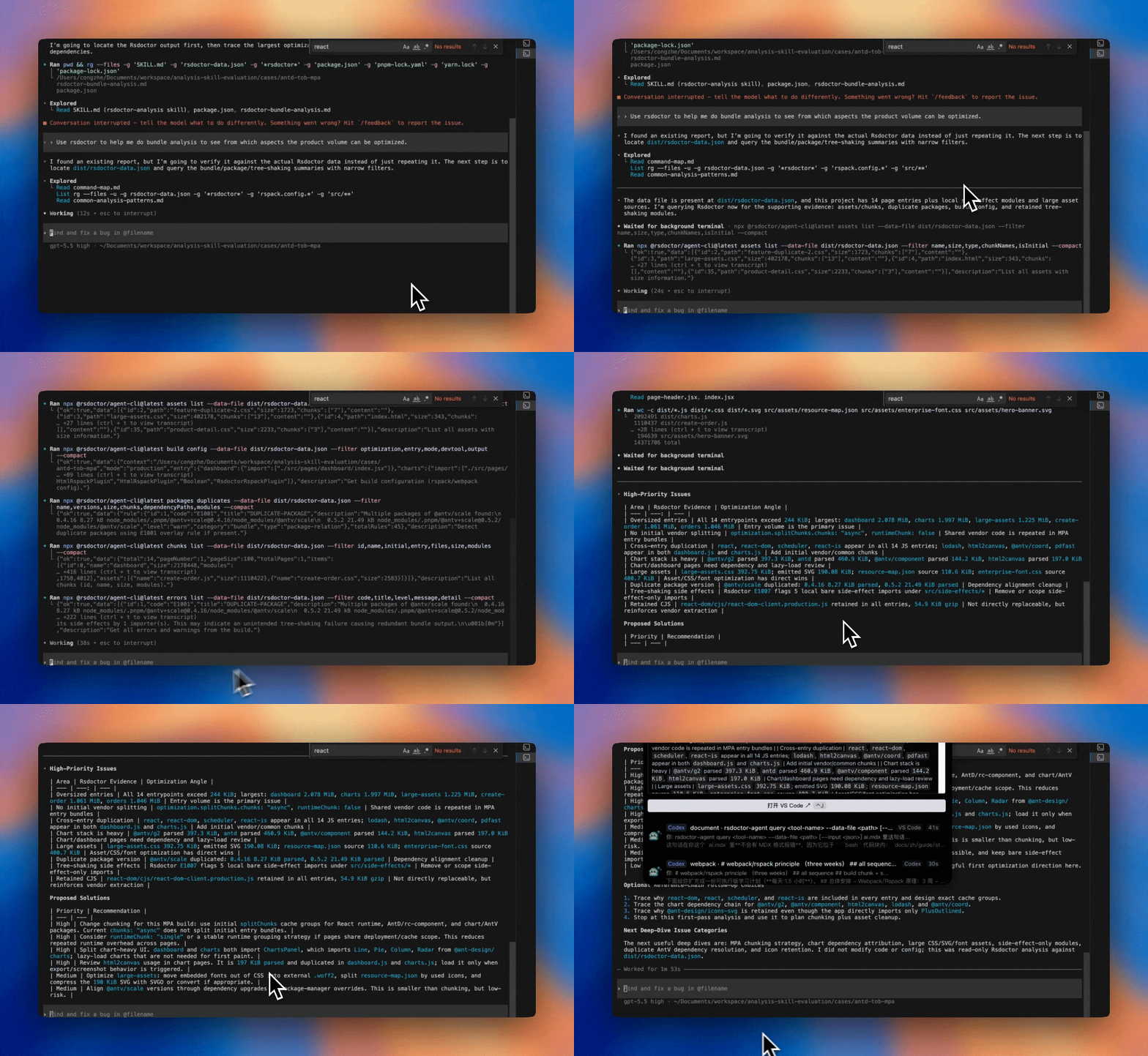
如上动图所示,AI 工具会依据 Rsdoctor Skill 执行相应的
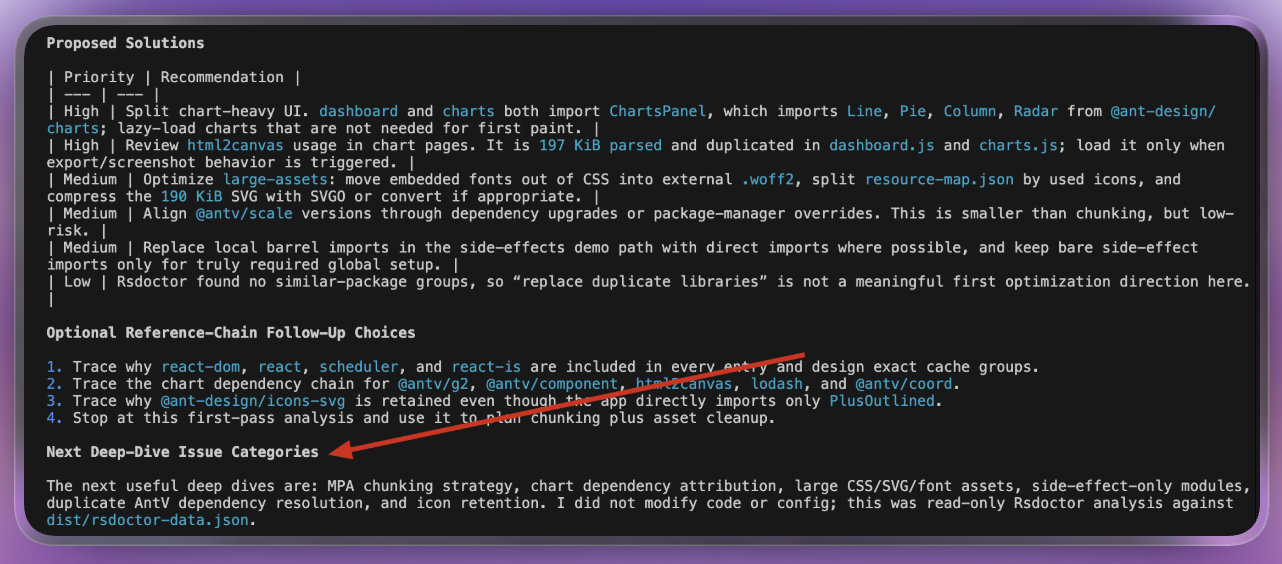
@rsdoctor/agent-cli命令,获取所需数据,并在整合分析后输出优化建议。同时,它还会提供下一步更深入的分析计划,你可以根据指引进一步研究项目构建问题。
- 问题:
-
命令示例 (由 Skill 触发执行):
QA
如果没有正确生成 rsdoctor-data.json 应该怎么办?
rsdoctor-analysis Skill 分析的是 rsdoctor-data.json 中的数据。你可以通过将 output.mode 设置为 'brief',并将 output.options.type 设置为 ['json'] 来生成该文件:
也可以通过设置 RSDOCTOR_OUTPUT='json' 环境变量,将分析数据输出为 JSON 文件。这个环境配置需要 @rsdoctor/*-plugin >= 1.5.11。
MCP Server
Rsdoctor 提供 MCP Server 让 AI 工具可以查询本地构建分析数据,详见 MCP Server 文档。
llms.txt
llms.txt 是一种帮助 LLM 发现和使用项目文档的标准规范。Rsdoctor 遵循该规范,发布了以下两个文件:
- llms.txt:结构化索引文件,包含所有文档页面的标题、链接与简要描述。
- llms-full.txt:完整内容文件,将所有文档页面的内容合并为单个文件。
你可以根据使用场景选择合适的文件:
llms.txt体积较小、消耗 token 少,适合让 AI 按需获取具体页面。llms-full.txt包含全量文档内容,无需 AI 逐一跟随链接,适合需要 AI 全面了解 Rsdoctor 的场景,但会消耗更多 token,建议在支持大上下文窗口的 AI 工具中使用。
Markdown 文档
Rsdoctor 文档的每个页面都提供对应的 .md 纯文本版本,可直接作为上下文提供给 AI。你可以在文档任意页面的标题下方点击「复制 Markdown」或「复制 Markdown 链接」按钮,获取该页面对应的 Markdown 文件内容或链接。
将 Markdown 链接或内容提供给 AI,即可让其精确了解某一具体章节的内容,适合在针对性问题排查或查阅特定内容时使用。
AGENTS.md
你可以在使用 Rsdoctor 的项目根目录创建一个 AGENTS.md 文件。该文件遵循 AGENTS.md 规范,向 Agents 提供项目的关键信息。
以下是可以在 AGENTS.md 中添加的 Rsdoctor 相关内容示例:
你也可以根据项目的实际情况进行修改,添加更多关于项目结构、整体架构等多方面的信息,以便 Agents 更好地理解你的项目。
如果你使用的是 Claude Code,可以创建一个 CLAUDE.md 文件,并在其中引用 AGENTS.md 文件。